
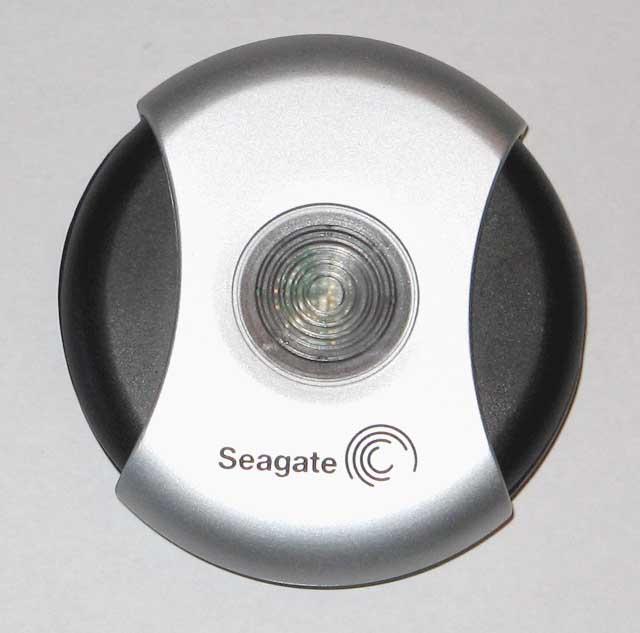
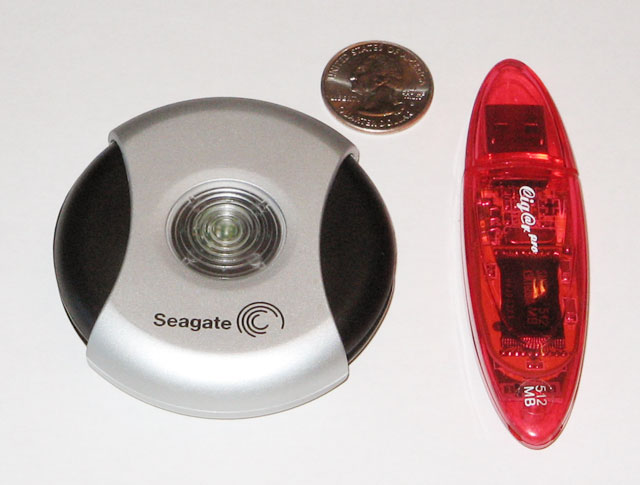
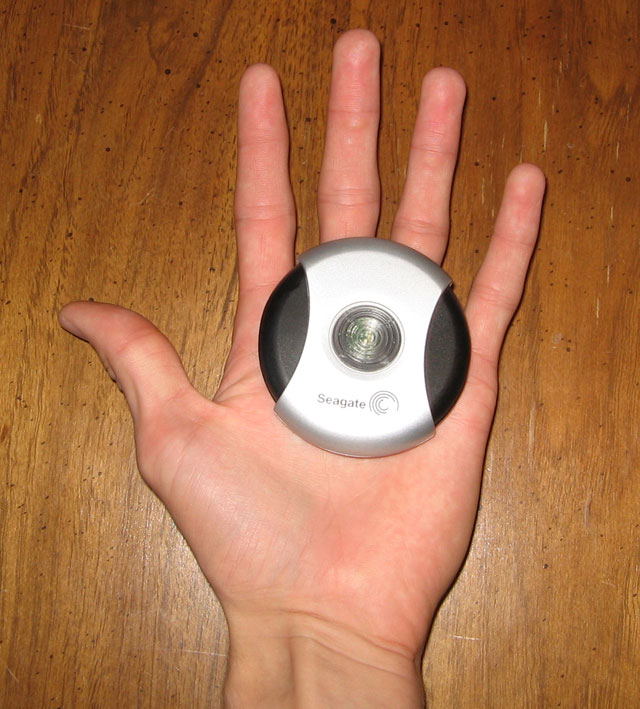
Transferring large files from one location to another has just been made a whole lot easier with Seagate's new pocket drives. These pocket drives use a 1" hard drive spinning at 3600RPM in place of the flash memory that is commonly found in "thumb drives". Portable USB flash memory drives have been available for several years in sizes ranging from 16MB up to 2GB with prices around $1.50 per megabyte and are generally about the size of a pack of gum. With Seagate's new pocket drives utilizing magnetic disc storage the price of portable storage has dropped to $.25 per megabyte (5000MB/$200). These drives are currently available in sizes of 2.5GB and 5.0GB, the drive I reviewed was the 5.0GB model.
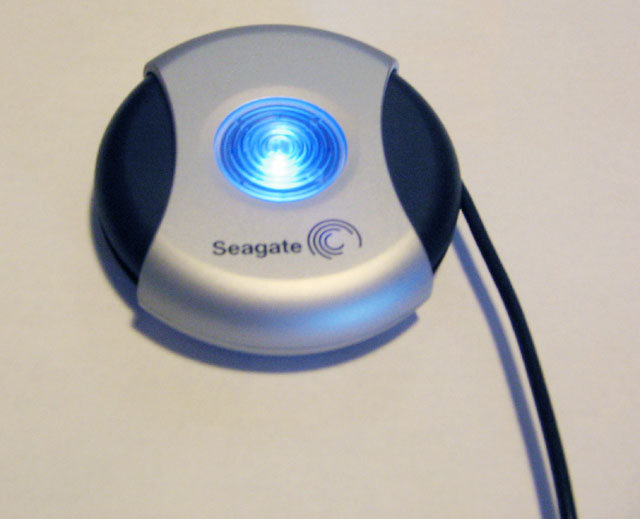
The exterior of the drive is made of two separate plastic shells. The outside shell is silver and has a transparent insert in the center where a bright
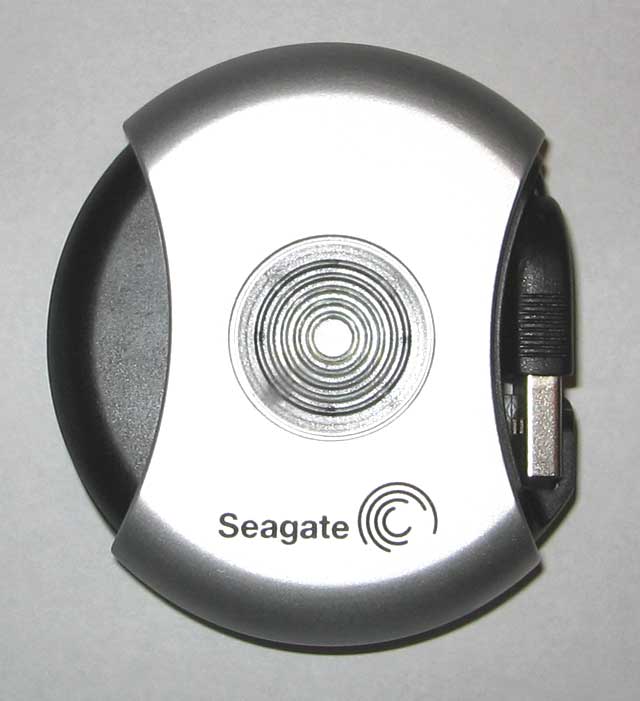
blue LED indicates drive activity. The inside shell is black and rotates inside of the outside shell to expose the USB 2.0 Connector and cable. The
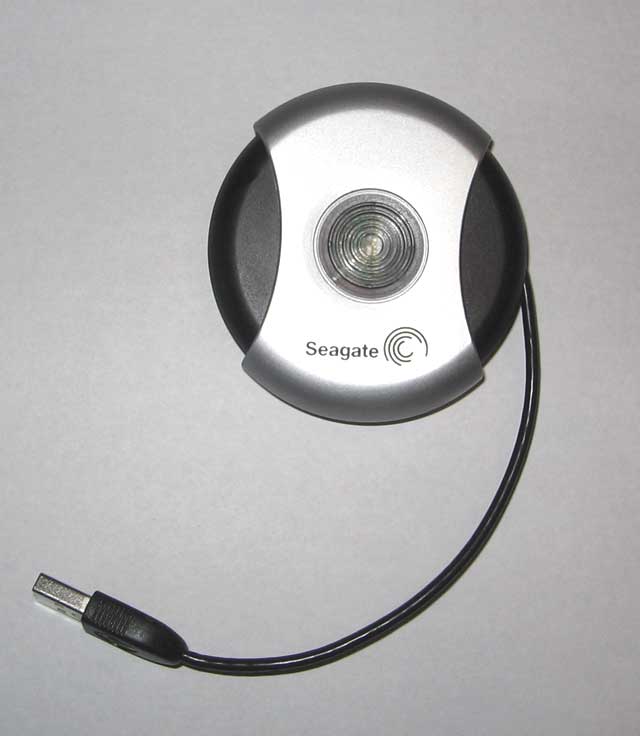
integrated USB 2.0 cable can extend about five inches from the drive by turning the inside black shell and pulling out the cable (see video). Power is
provided to the drive through the USB Cable. Depending on where your USB ports are the five inch cable may end up being a little bit on the short side and
you will have to let the drive dangle from the cable. If possible it would be beneficial to bring a short USB extension cable with you so that you can set
it on a flat surface. As a whole I feel like this drive is well designed although it feels a little fragile but not to the point where I feel like it is
going to break under normal use.
Video showing the operation of the cable - (518kb, requires WMV9 codec)
For the benchmarks I will be using the drive on both a system with USB 1.1 and on a system with USB 2.0, both running Windows XP SP2. For synthetic
testing I will be using Simpli Software's HD Tach program for read performance testing. For real world tests I will be transferring the 345MB Need For Speed
Underground 2 demo installer file both onto and off of the drive and record the time using a stopwatch.
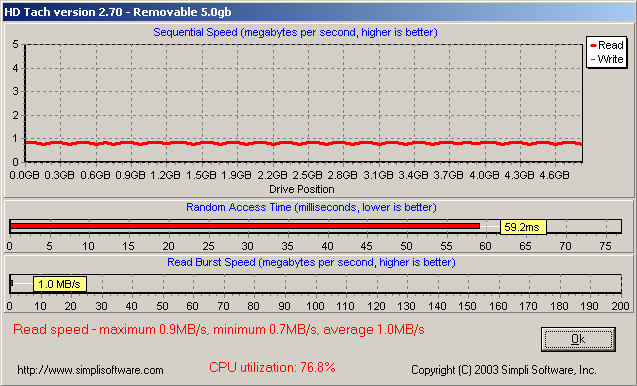
Transferring the 345MB demo to the drive took 394 seconds which computes out to ~.88MB/Second. Transferring from the drive to the computer took 349 seconds or ~.91MB/Second.
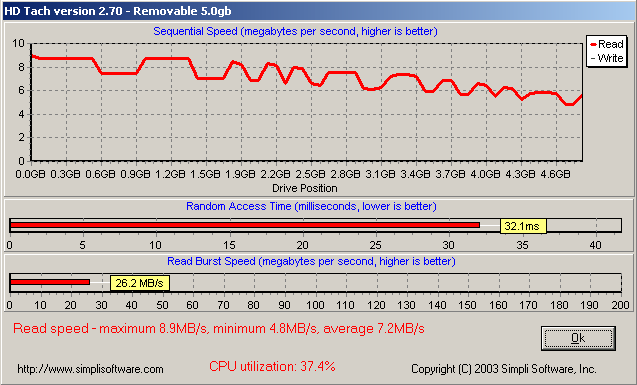
When using USB 2.0 the time to transfer the 345MB file only took 48 seconds which comes out to a speedy ~7.2MB/Second. When transferring back to the
computer the drive managed to put out ~8.0MB/Second, only taking 43 seconds.
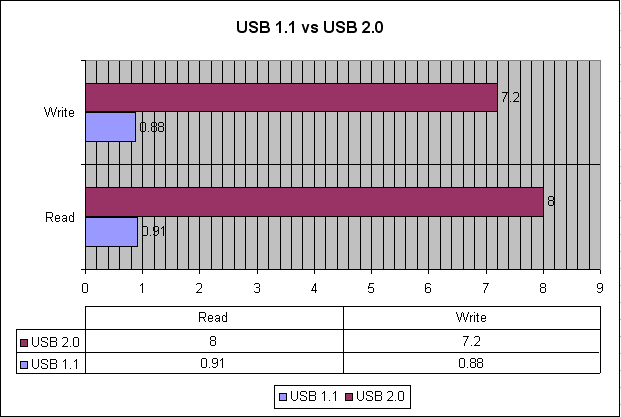
If you are looking for an affordable, high-speed way to move your large files, the Seagate USB 2.0 pocket drives are a very good alternative to flash drives. If you only have access to computers equipped with USB 1.1 it could take up to an hour and a half to fill the entire drive at a transfer rate of .88MB/Second. USB 2.0 on the other hand would fill the entire drive in only 12 minutes at 7.2MB/second. The only complaints I have about the drive are the short cable and the slightly fragile feel to the drive.
User's Guide for Seagate Pocket Drives
This Page -